

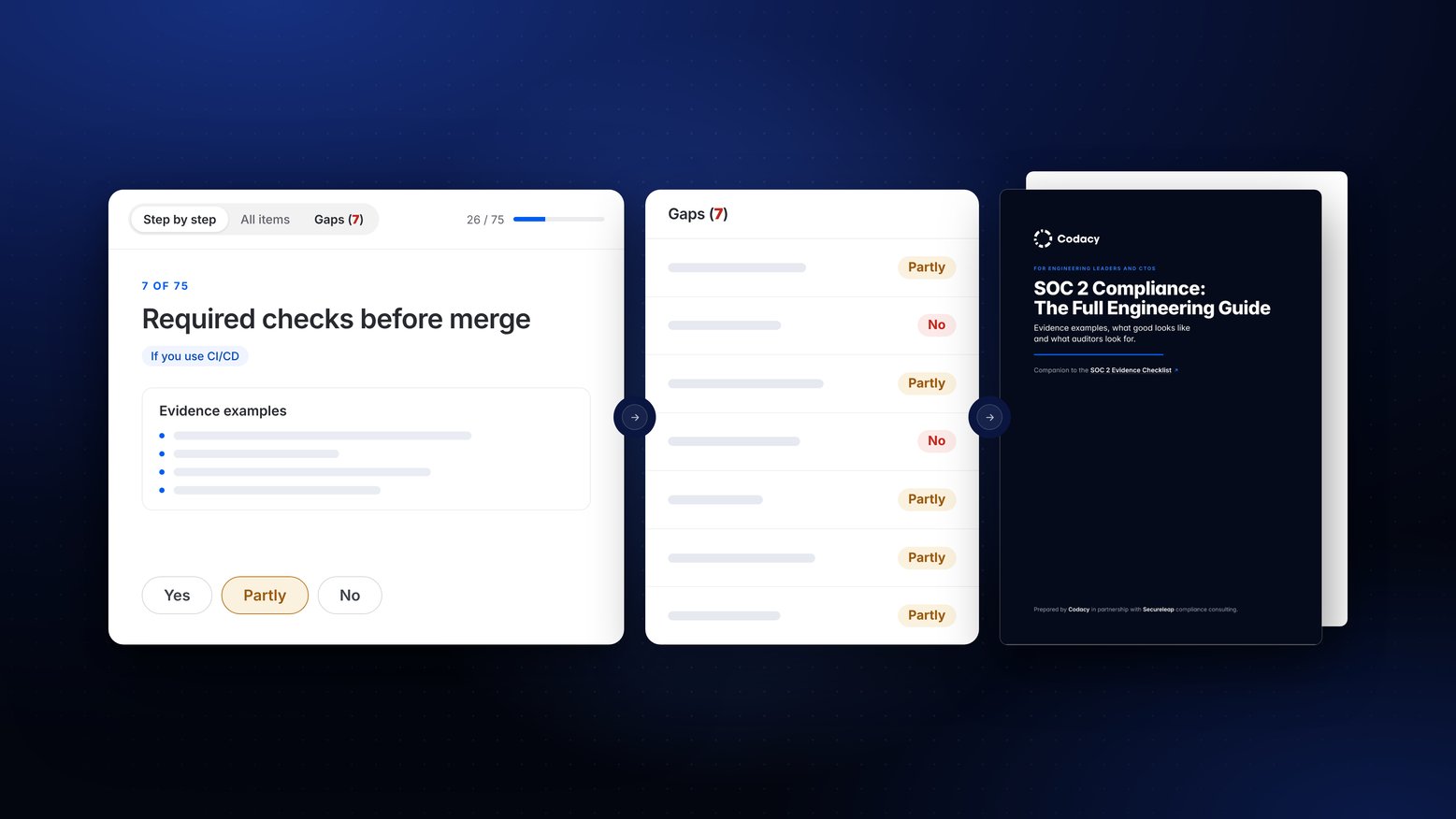
We built a SOC 2 evidence checklist because evidence is what we help engineering teams with every day. Proof that code is reviewed, scanned and fixed before it ships is one of the main reasons teams use Codacy. We know which questions land on engineering, and which ones are hard to answer. We also go through a SOC 2 audit ourselves every year.
This checklist covers the SOC 2 controls engineering usually handles in a standard SaaS company, from code review and CI to access, secrets, vulnerabilities, incident response and backups. For each one, you’ll see the evidence that proves it, what good looks like, how auditors test it and where teams usually fail.
Get started with the SOC 2 Evidence Checklist for Engineers
We wrote it with support from Secureleap, a compliance consultancy that helps companies prepare for SOC 2. They brought the insider knowledge: the evidence examples, sample sizes, common gaps and how most teams fail.
This checklist is written for a standard SaaS company: a cloud-hosted product, a version-controlled codebase and a conventional engineering workflow. It does not cover edge cases. It is provided as is, for guidance only, and does not guarantee a SOC 2 Report outcome. This checklist won’t replace your auditor or a security lead. But work through it before your first audit, or your next one, and you’ll find the gaps while you can still fix them. If in doubt, always confirm with your auditor or compliance advisor.
There are three ways to fill in the checklist: online on this page, with the agent skill in your AI assistant, or in a spreadsheet with the full PDF guide beside it. The 75 questions are the same in each, so pick the one that fits how you work.
SOC 2 Compliance Checklist: Agent Skill
You can also download the skill version and run the checklist inside your AI assistant. The skill works in Claude, Claude Code and ChatGPT (where skills are enabled) and asks the 75 questions one at a time.
- Context with every question. Each one comes with the detail from the full guide: the evidence that counts, what good looks like and how auditors test it.
- It looks for the evidence first. It searches the tools your assistant is already connected to, such as Linear, GitHub or Jira, and shows you what it found and what it didn't. It only reads, and you confirm every answer.
- A gap list at the end. Core gaps first, each with what to put in place to close it.
Your answers stay in the conversation and are not sent to Codacy.
SOC 2 Compliance Checklist: PDF and sheet
Prefer a file you can share with the team? Download the checklist as a spreadsheet, together with the full engineering guide as a PDF.
-
The spreadsheet is a plain tracker: one row per check, with its tier and criteria. Pick Yes, Partly, No or Doesn't apply, add an owner and notes, and the answered and gap counts update as you go. It opens in Excel, Numbers or Google Sheets.
-
The PDF guide is the long read. If this is your first SOC 2 audit, start here: it explains every control in full, with evidence examples, what good looks like, what auditors test and who usually owns it. Each chapter is bookmarked, so you can jump to any topic from your PDF reader's sidebar.
What's in a SOC 2 compliance checklist for engineering teams?
Our SOC 2 compliance checklist covers 75 items organized under 18 topics that engineers will understand. Each item is a control engineering is expected to run, mapped to the SOC 2 criteria it supports. Items are tiered: 43 Core, 14 that apply only if you use something (CI/CD, containers, contractors, AI coding tools), and 18 Optional improvements (or "nice to haves"), where a "No" is not an audit gap.
| Topic | Criteria | What's checked |
|---|---|---|
| Planning secure features | CC8.1 | Security design review |
| Code review and approval | CC8.1 | Protected branches, review before merge, named and traceable accounts, a ticket for every change, a second approval on every path |
| Automated checks before merge | CC8.1, CC7.1 | Required checks, testing before production, code scanning (SAST), secret scanning, infrastructure code scanning |
| Coding rules | CC8.1 | Secure coding standard |
| Emergency changes and bypasses | CC8.1 | Emergency changes, restricted and reviewed bypass, production data fixes |
| Changes to the checks themselves | CC8.1 | Pipeline files under review, pipeline admin access, pinned third-party actions |
| Environments and deployment | CC8.1, CC6.1 | Separate production, deploys only through the pipeline, traceable build artifacts, a complete list of changes |
| Access and secrets | CC6.1, CC6.2, CC6.3 | Production repositories, MFA, least privilege, approved grants, periodic access reviews, timely removal, SSO, just-in-time and break-glass access, secrets in a managed store, leaked secret rotation, per-service secret access, machine credential inventory |
| Vulnerabilities and dependencies | CC7.1, CC6.8 | Dependency scanning, fix deadlines by severity, vulnerability exceptions, container and server scanning, DAST, penetration test and its findings |
| Infrastructure as code | CC7.1, CC8.1 | System inventory, IaC through the pipeline, hardening baselines, configuration monitoring, drift detection |
| Test data | CC8.1, CC6.1 | No production data in development or test |
| Contractors | CC6.2, CC6.3, CC9.2, CC1.4 | Contractors in your access controls, contractor firms assessed |
| Secure coding training | CC1.4 | Security training for engineers |
| Checking your controls still work | CC4.1, CC4.2 | Controls checked between audits |
| Exceptions and policy review | CC5.3 | Engineering policies owned and reviewed, exceptions to engineering rules |
| AI-assisted software development | CC8.1, CC6.1 | AI changes follow the normal path, AI tools have scoped access, rules for what goes into AI tools |
| Security monitoring and incident response | CC7.2 to CC7.5 | Central logs, alert rules with owners, triage records, tamper-proof logs, alerts when monitoring stops, threat detection, on-call, incident records, postmortems, corrective actions, exercises |
| Backups and encryption | CC9.1, CC6.1, A1* | Automated backups, restore tests, disaster recovery plan, isolated and immutable backups, encryption at rest and in transit, key management |
*A1 applies only if Availability is in scope.
How often do SOC 2 audits find problems?
Most of the time. Few audits end in a qualified opinion, the auditor's verdict that one area of your controls doesn't meet the SOC 2 criteria: 10.9% of SOC reports (CBIZ, 2024). But more than half find exceptions (54.9% of SOC reports, CBIZ 2024): controls the auditor tested that didn't work as you described them, each one listed in the report your customers read. In 75 SOC 2 audits run by Lazarus Alliance between January 2025 and June 2026, the controls that broke most often were the ones engineering runs, and first-time audits had the most exceptions.
| Finding | Share of audits |
|---|---|
| First-time SOC 2 audits with at least one exception | 84% |
| Renewal audits with at least one exception | 60% |
| Audits with access control exceptions | 51% |
| Audits with change management exceptions | 41% |
| Audits where the auditor asked for more evidence (most often access reviews, change tickets and log samples) | 88% |
Source: Lazarus Alliance, 2026 SOC 2 Audit Benchmark (75 audits).
What evidence do SOC 2 auditors ask engineering for?
System-generated records from the period, mostly. Settings exports, lists of merged pull requests, access review records, scan results, ticket histories, incident records. Then auditors sample from them. They usually come back for more, and an audit averaged about 1,450 pieces of evidence (Lazarus Alliance, 2026).
Here is one item from the checklist in full, so you can see the depth.
|
Review before merge Core · CC5.1 · CC8.1 · Usually owned by the engineering manager · Policy: Change Management Procedure The check. Every pull request merged to a protected branch has at least one approval from a person other than the author, given on the final version of the code. What good looks like.
Evidence examples.
What auditors do. Auditors sample merged pull requests across the whole period, commonly 25 to 40, spread across repositories and months, and check for a non-author approval of the last commit before merge. Common gap. Approval was given before the last commits were pushed because stale approvals were not dismissed, or an admin merged without approval. |
How to use the SOC 2 Evidence Checklist
- Run the readiness check. Go through the items one at a time, or see them all in a table. Answer Yes, Partly or No for each.
- Review your gaps. Core gaps come first. Optional items are listed separately because a No there is not an audit gap.
- Track the work in the spreadsheet. Export your answers (the file opens in Excel, Numbers or Google Sheets), then assign owners, record where evidence lives and when it was last collected.
- Prefer your AI assistant? Download the skill and run the checklist there, with your answers carried over.
- Share the PDF guide. It explains every control in full for the engineers who will own them.
Where do engineering teams usually fail SOC 2?
In the same few places, audit after audit:
- Evidence that can't be recreated. Last year's settings, last quarter's access review, the state of a branch rule in March. If nobody saved it at the time, it's gone.
- Controls a person has to perform. Access reviews, incident timelines, vendor reviews. Automated controls run themselves; these depend on someone remembering, and leaving a record.
- Rule exceptions. A vulnerability with no fix available, a hotfix that bypassed review. Exceptions to your own rules are allowed, but an undocumented one becomes an audit exception.
- Undated screenshots. A screenshot without a visible date doesn't show when the control was in place.
- Admin bypasses. An admin merge without approval, or a branch rule that admins can skip, breaks an otherwise clean change management sample.
The checklist's readiness check asks one question per item: can you show this evidence today? Your answers sort into gaps to fix first and optional improvements.

SOC 2 FAQ for engineering teams
Thank you to Secureleap, the compliance consultancy that prepared the expert content in this checklist with Codacy: the control statements, what good looks like, the evidence examples, how auditors test and the common gaps. SOC 2 doesn't prescribe tools, numbers or frequencies: where this checklist gives them, they are common choices, not requirements. This checklist doesn't make anyone compliant, and neither does any tool. SOC 2 is an attestation: your auditor issues a report, and only your auditor decides whether a control meets the criteria.