.svg)

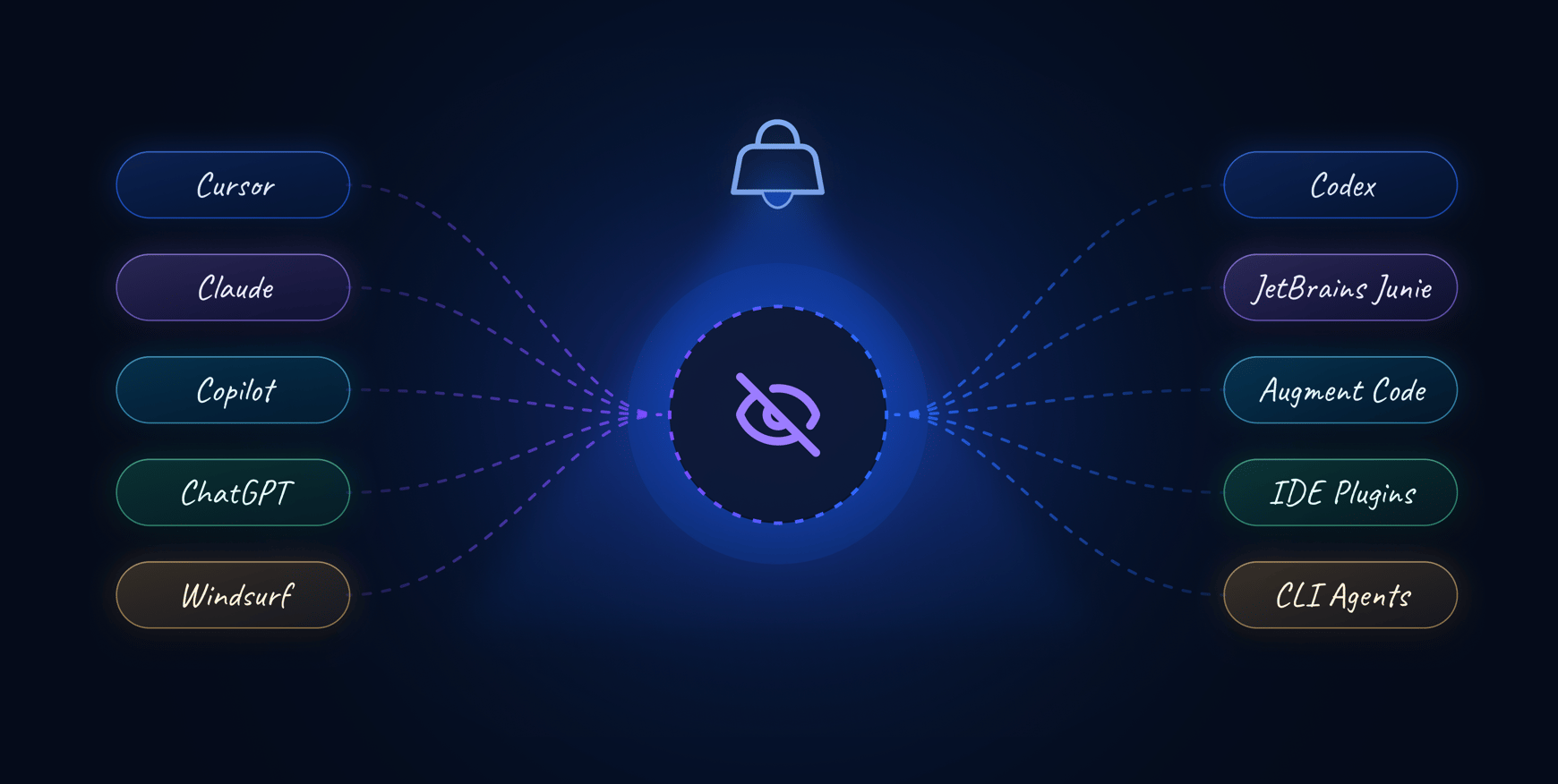
Executives are asking engineering teams to accelerate AI adoption. Most engineering leaders, though, cannot answer a basic question: which AI coding assistants are actually in use across our repositories right now?
The gap is the lack of a reliable inventory. This article covers why visibility is the first governance challenge, what repository-level scanning reveals about real adoption patterns, and how to operationalize AI tool tracking without blocking the tools developers rely on.
In this article:
- Why visibility into AI tools is the first governance challenge
- What shadow AI looks like in engineering workflows
- How widespread is AI tool usage across development teams
- What repository-level scanning reveals about AI adoption
- Why existing governance approaches miss AI tool usage
- How AI tool sprawl affects code quality and security
- What an AI inventory captures across repositories
- How to operationalize AI visibility for engineering teams
- What metrics help leaders report on AI adoption
- Common mistakes when tracking AI tool usage
Why visibility into AI tools is the first governance challenge
To gain visibility into AI tools used by engineering teams, you can combine quantitative tracking of AI-assisted coding with qualitative developer feedback. Unmonitored AI usage is common, so specialized analytics help track tool usage, security posture, and productivity impact. The challenge, though, is that most engineering leaders cannot answer a straightforward question: which AI coding assistants are active across our repositories right now?
The contradiction is that boards and executives are pushing teams to adopt AI to improve delivery speed. At the same time, leadership often lacks a reliable inventory of which tools developers actually use. The reporting gap widens as AI adoption accelerates.
The visibility problem is not about whether AI is being used, but rather about whether leadership has an auditable view of AI usage across the engineering organization.
What shadow AI looks like in engineering workflows
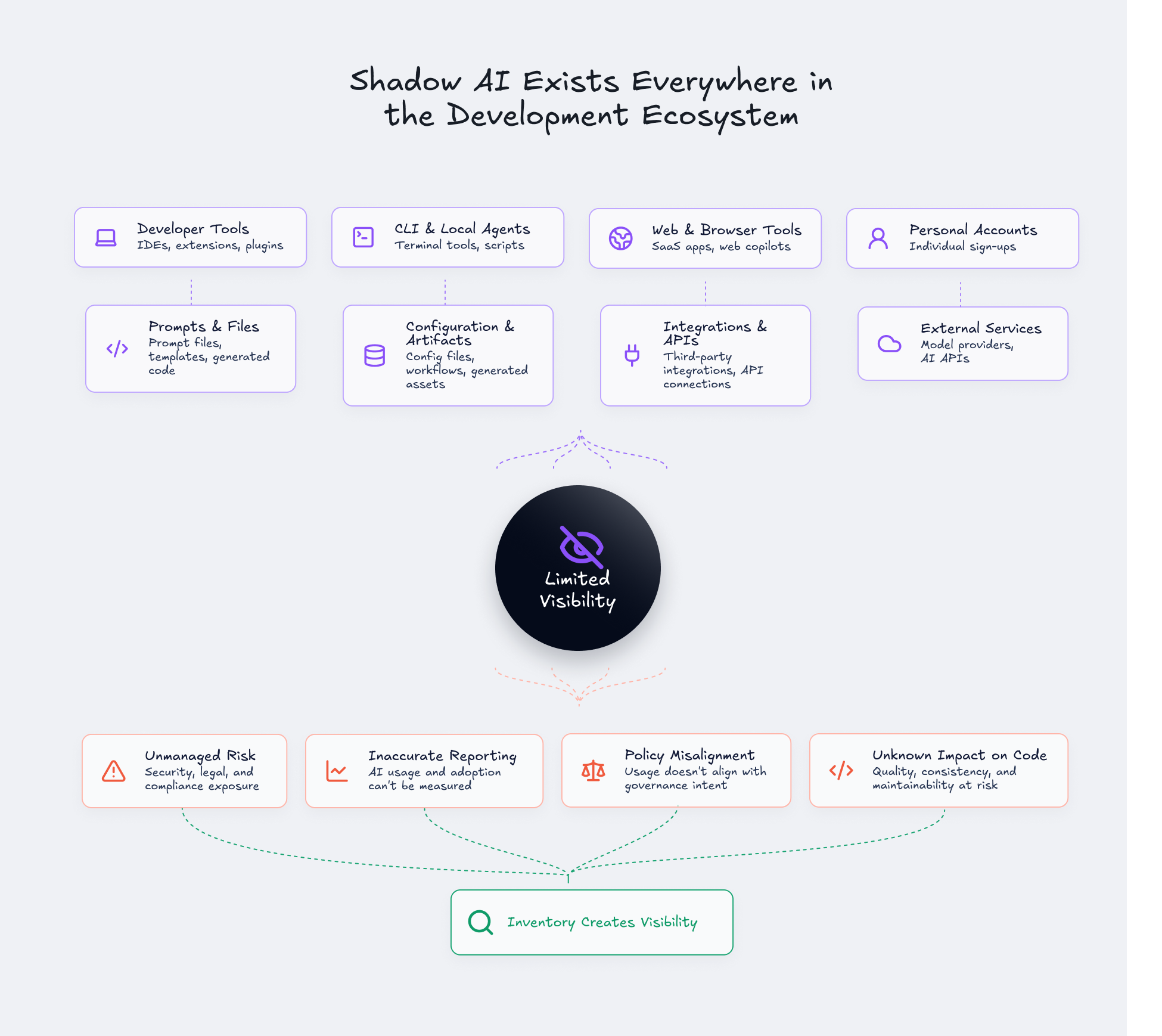
Shadow AI in software development goes beyond employees using random chatbots. In engineering contexts, shadow AI includes a range of tools and artifacts that often bypass centralized IT or security visibility.
Here are common forms of shadow AI in development workflows:
- AI coding assistants in IDEs: Extensions like GitHub Copilot, Cursor, or Claude Code installed locally in developer environments
- CLI-based agents: Command-line tools that generate or modify code outside of managed SaaS platforms
- AI review tools: Third-party services that analyze pull requests or suggest changes
- Prompt files and generated config: Workflow artifacts, prompt templates, or AI-generated configuration files committed to repositories
- Personal account access: Developers using personal subscriptions to tools that are not visible to IT or security teams
The governance issue is unmanaged AI use. IBM found that organizations with high levels of shadow AI experienced an average of $670,000 in additional breach costs. For engineering leaders, the challenge is gaining enough visibility into AI usage to align policy, governance, and enforcement with what is actually happening in repositories.
How widespread is AI tool usage across development teams
AI coding tools have moved well beyond pilot programs. A significant share of developers now use AI assistants daily, and AI-assisted code represents a growing portion of code creation across organizations.
Several patterns are worth noting. Many developers access AI tools through personal accounts, including personal ChatGPT or Claude subscriptions. The average development team uses multiple AI tools simultaneously, often without centralized tracking. GitHub Copilot, ChatGPT, and Claude are common across development workflows, though adoption varies by team and project.
Exact figures depend on survey methodology, company size, and how "AI-assisted" is defined. The direction, however, is clear: AI use has moved beyond experimentation into everyday development practice.
What repository-level scanning reveals about AI adoption
Surveys and procurement data tell part of the story. Repository-level scanning tells another. When you analyze what is actually committed to codebases, a different picture emerges.
Recently, we scanned over 6,700 repositories across more than 800 organizations and detected 27 different coding assistants. Claude Code appeared most frequently by a wide margin, followed by Cursor and Microsoft Copilot. The long tail included Codex, Windsurf, Augment Code, JetBrains Junie, and more than 20 other tools.
On the surface, 27 assistants suggests tool sprawl. At the organization level, though, the average org showed traces of only two coding assistants. Most companies do not have chaos everywhere. They have limited but often unmeasured AI adoption.
The visibility problem is not only "too many tools." It is that leaders do not know which tools are present, where they appear, or how usage differs by repository.

Why existing governance approaches miss AI tool usage
Governance policies often live in places that do not observe actual developer behavior. Security questionnaires, procurement approvals, acceptable-use policies, SSO tool lists, and manual team self-reporting all capture intent. They rarely capture reality.
Here is where governance controls miss common engineering paths:
- Personal accounts: Developers using personal subscriptions that bypass enterprise SSO
- IDE extensions: Locally installed extensions that do not appear in SaaS management tools
- CLI agents: Command-line tools used outside centrally managed platforms
- Repository artifacts: Generated files, prompts, workflows, or tool traces committed into codebases
Even organizations with governance and security validation policies may still have developers using Cursor, Claude, and other tools in parallel. Developer adoption pressure is real: engineers choose tools that help them move faster.
Policies define intent. Inventories reveal reality.
How AI tool sprawl affects code quality and security
AI-generated or AI-assisted code changes the scale and review model for engineering teams. More code can be produced faster. Review depth may decrease when reviewers assume generated code is correct. Similar patterns may be replicated across repositories quickly.
Security and quality risks include:
- Vulnerable code patterns: Generated suggestions that introduce known vulnerability patterns. Veracode’s 2025 research found that only 55% of AI-generated code samples were free of the security flaws evaluated in its benchmark, meaning 45% contained at least one tested vulnerability.
- Insecure dependency recommendations: AI tools suggesting outdated or vulnerable libraries
- Secrets exposure: Sensitive context pasted into unmanaged tools or committed to repositories
- Generated tests with incorrect assertions: Tests that pass but assert the wrong behavior
- Compliance gaps: AI usage that cannot be evidenced or explained during audits
Inventory is not a substitute for SAST, SCA, secrets detection, or policy checks. It is the visibility layer that tells leaders where AI code governance applies.
There is also a procurement angle. If most developers already use a particular tool, it may be worth upgrading to an enterprise plan and managing it centrally rather than allowing fragmented personal usage.
What AI Inventory captures across repositories
Codacy's AI Inventory is a repository-level view of AI assets, tools, workflows, and signals found across codebases. It turns scattered repository evidence into a view engineering leaders can act on.
A useful inventory typically captures:
| Dimension | What it reveals |
|---|---|
| AI tools detected | Which coding assistants appear across repositories Copilot, Claude Code, Cursor, Windsurf) |
|
AI models called |
Which AI models and providers are referenced across repositories (GPT-4o, Claude Sonnet, Gemini, OpenAI SDK, Anthropic SDK, etc.) |
| Repository distribution | Where each tool appears and how usage varies |
| Configuration and workflow files | AI-related config, prompt templates, or agent definitions |
| Policy compliance status | Whether detected tools align with approved lists |
|
AI-related issues |
Security or quality findings in repositories with AI usage |
| Risk assessment summary | Aggregated view of exposure by repository or team |
The goal is to provide enough visibility that leaders can compare detected usage against policy and decide where enforcement applies.
How to operationalize AI visibility for engineering teams
Visibility without action is just reporting. The practical value of AI Inventory comes from connecting it to enforcement and decision-making.
A reasonable approach follows this sequence:
- Scan repositories to establish a baseline of AI tool and workflow traces
- Compare detected usage against approved tools and policies
- Segment repositories by risk: production-critical, regulated, customer-facing, internal, experimental
- Align enforcement with repository risk level, applying AI guardrails for high-risk repositories
- Add or tighten checks for SAST, SCA, secrets detection, and license compliance where AI usage is present
- Track changes over time to see whether adoption is expanding or concentrating
- Report trends to leadership in operational language: tools detected, repos affected, policy gaps, remediation progress
AI tool usage changes quickly. Inventory is not a one-time audit. It works best when continuous or regularly refreshed.
What metrics help leaders report on AI adoption
When executives or board members ask about AI adoption, vague answers erode confidence. Specific metrics convert adoption claims into evidence.
Useful leadership metrics include:
- Number of AI coding assistants detected across the organization
- Number and percentage of repositories with AI tool traces
- Top AI tools by repository presence
- Repositories with unapproved AI tools or workflows
- AI-related policy compliance status
- Security findings in repositories with detected AI usage
- Trend over time: new tools, new repositories, resolved policy gaps
Metrics like these help leaders report adoption without relying only on surveys or procurement data. They create a bridge between AI enablement and risk management.
Common mistakes when tracking AI tool usage
Several patterns undermine AI visibility efforts. Recognizing them early helps avoid wasted effort.
- Relying only on sanctioned-tool lists: Developers may use personal accounts, local extensions, or CLI tools that never appear in approved lists
- Treating AI governance as only a legal or procurement issue: In engineering, governance connects to repositories and pull requests
- Blocking tools without offering approved alternatives: Developers will route around controls if controls slow delivery without reducing risk
- Measuring adoption only by license count: Licenses show what was bought, not necessarily what influenced code
- Assuming low incident volume means low risk: Lack of findings may reflect lack of visibility, not absence of exposure
The goal is to create a managed adoption model where leaders know which tools are in use, understand where they appear, define acceptable use by risk level, enforce security and quality checks consistently, and produce evidence for leadership and compliance.
AI adoption has already reached everyday development workflows. The immediate leadership gap is visibility. Leaders cannot credibly report AI adoption or manage AI risk without knowing what is actually being used.
The practical path forward starts with AI inventory across repositories. Use it to align policy, enforcement, and reporting. Then connect it to existing code quality and security controls that already protect the delivery pipeline.
Turn AI adoption into something you can measure
Codacy's AI Inventory provides a repository-level view of AI tools, workflows, and related artifacts, helping engineering leaders track usage, identify policy gaps, and improve visibility across development teams.