.svg)

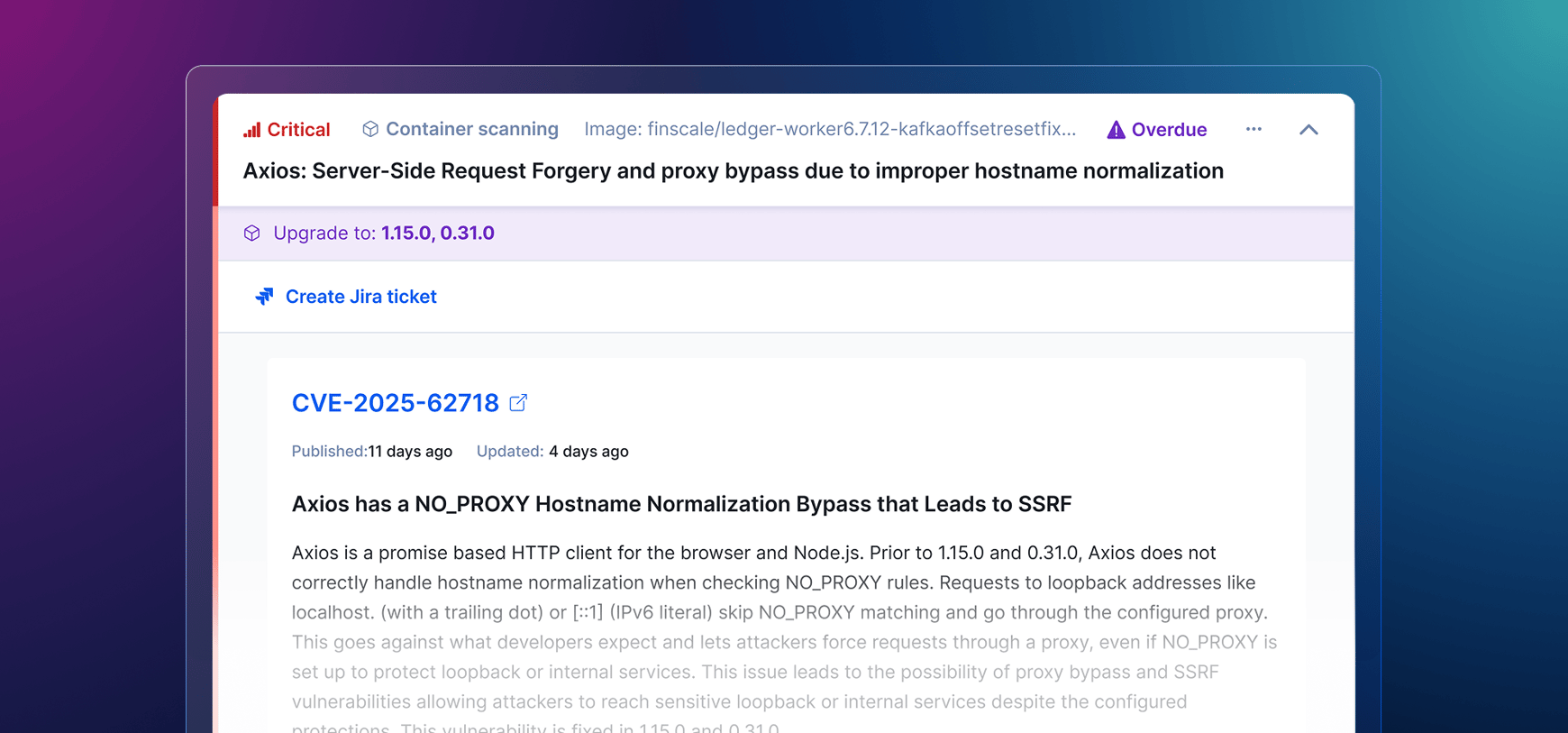
A vigilant engineering team today runs seven or eight tools to cover risk and security vulnerabilities. Code quality in one place, SAST in another, SCA somewhere else, then secrets, IaC scanning, malicious package detection, DAST, pentesting, and container image CVEs. Each one has its own dashboard, its own permission model, and its own export for the auditor.
Codacy's Security and Risk Management suite consolidates those layers into one platform, one dashboard, and one risk view for security findings across the PR workflow. Until now, one layer has sat outside: container images.
Today, we are closing that gap. Container Image Scanning is officially available, and Codacy's security stack now extends to deployment artifacts.
Codacy now generates and proactively analyzes the Software Bill of Materials (SBOM) for every container image your team builds. Each finding includes the CVE ID, severity, description, references, and an "upgrade to version X" recommendation. No new dashboard to learn, no new alert stream to triage.
Our engineers Alejandro and Luís sat down to show how it works in 3 minutes:
How it works
Start by getting your Codacy API token, then add a Codacy CLI step to your CI/CD pipeline to generate and securely upload your SBOM (or manually upload your existing SBOM files). The image needs to be available locally (your pipeline likely pulls it already), then the Codacy CLI handles the rest.
The upload-sbom command generates an SBOM from your container image and sends it to Codacy, where we scan it against the latest CVEs.
The vulnerability database refreshes daily, and every stored SBOM gets rescanned against it once every 24 hours. New CVEs get matched to your image tags without another pipeline run.
Findings appear on your Security and Risk Management dashboard and are tied to specific image tags, so you can quickly fix vulnerabilities by bumping the tag to a secure version.
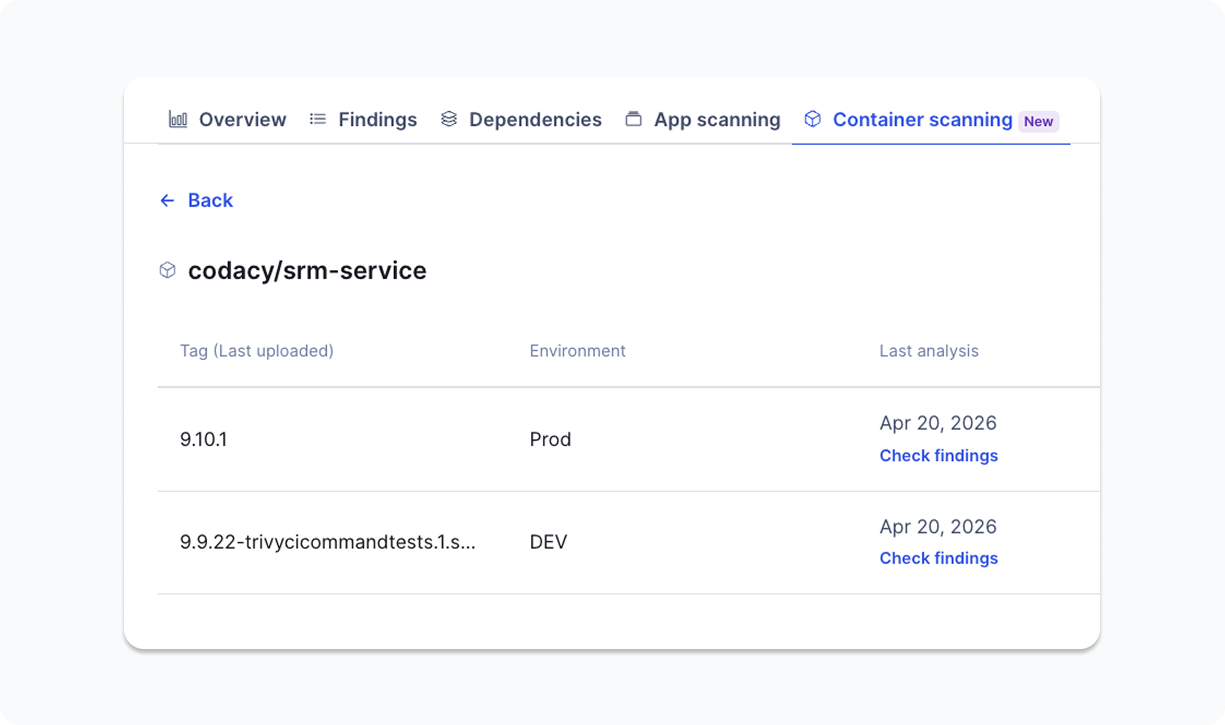
You can also upload an SBOM manually through the Codacy UI (CycloneDX or SPDX) if you are not ready to add the CLI step yet. Check our documentation for detailed instructions.
Why daily rescans matter
Container images built last week passed every scan in your pipeline at the time. A new CVE gets disclosed at 2am this morning. Without proactive rescanning, you find out about new security issues at the next deploy (if at all), which could be days away.
Daily rescans close that window. A CVE disclosed tonight shows up against your image tag tomorrow morning. You get continuous monitoring without continuous pipeline runs on your infrastructure.
For dynamic tags such as latest, findings auto-resolve as vulnerabilities disappear from the current analysis. For static tags, you can delete them manually once they are no longer in use.
The case for Codacy's curated scans
The CVE scanner is the easy part. Trivy is open source, widely deployed, and many engineering teams already run it as a free check in CI. What Trivy alone does not give you is a managed database refresh cadence, a stored SBOM history tied to specific image tags, and findings in the same risk view as your SAST, SCA, Secrets, IaC, malicious package, DAST, and pentest results.
That is what Codacy’s Container Image Scanning adds: The scanner runtime, the database freshness, the dashboard, and the SDLC context, without your team running the infrastructure.
What is in scope, what is not
Container Image Scanning focuses on what’s inside the image: known vulnerabilities in dependencies, identified through the SBOM. Findings are tied to specific image tags and tracked accordingly.
Runtime behavior, runtime environments, cluster posture, and cloud posture sit in a different layer of the stack. Codacy stays focused on the code and build artifact layer, where engineering teams can fix issues before deployment.
How to get access
For organizations already on the Business plan, Container Image Scanning is included by default. Team plan and trial users can request temporary access to test the new capability.
Codacy is always open to feedback from users to streamline direction. Drop us a line at support@codacy.com.